Integrate with Hermes Agent
Hermes Agent is an open-source autonomous AI agent for automated tasks and terminal interaction.
I. Prerequisites
Before using Hermes Agent, prepare the following.
1. Install Hermes Agent
Supported on Linux, macOS, and WSL2 (Windows). Windows users must first install WSL2, then run the commands inside WSL2.
Run the following command in your terminal to install Hermes Agent.
curl -fsSL https://raw.githubusercontent.com/NousResearch/hermes-agent/main/scripts/install.sh | bashReload your terminal environment.
source ~/.bashrc # or source ~/.zshrcRun the following command to verify the installation (a version number means success).
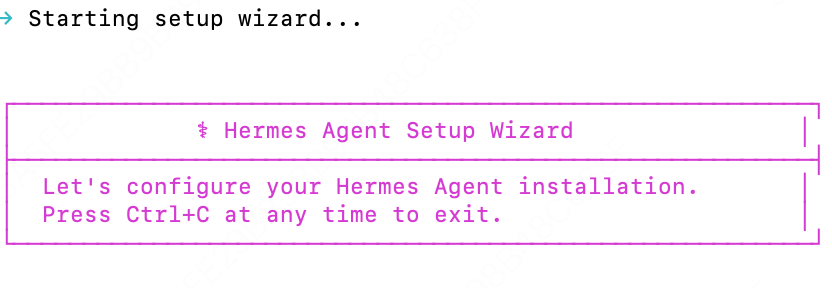
hermes --versionAfter installation, the following interface will appear:
2. Get a LongCat API Key
First, obtain your API Key from the LongCat Platform, and confirm on the Usage page that your account has sufficient token quota.
The LongCat API platform currently provides the following models:
| Model Name | API Format | Description |
|---|---|---|
| LongCat-2.5-Preview | OpenAI/Anthropic | High-performance agentic model |
| LongCat-2.0 | OpenAI/Anthropic | High-performance agentic model |
II. Configure the LongCat API
Hermes Agent connects to LongCat through a custom provider. model.provider must be set to custom.
Option A: Quick setup via terminal commands
hermes config set model.provider custom
hermes config set model.base_url https://api.longcat.chat/openai/v1
hermes config set model.api_key <Your LongCat API Key>
hermes config set model.default LongCat-2.5-Preview
You can review the result in ~/.hermes/config.yaml.
Option B: Edit the config file manually
Edit ~/.hermes/config.yaml:
model:
  provider: custom
  base_url: https://api.longcat.chat/openai/v1
  api_key: <Your LongCat API Key>
  default: LongCat-2.5-Preview
Get <Your LongCat API Key> from the LongCat Platform.
Verify the configuration
hermes doctorIII. Using Hermes Agent
Once configured, open a new terminal window and run one of the following commands to launch Hermes Agent:
hermes            # Classic CLI mode
hermes --tui      # Modern TUI mode
If the conversation UI opens normally, you're ready to use Hermes Agent + LongCat.