Integrate with CatPaw
CatPaw is Meituan's all-scenario AI Agent platform, available on desktop, mobile, and cloud. CatPaw supports adding custom models, so you can use LongCat models in conversations with simple configuration.
I. Prerequisites
Obtain your API Key from the LongCat Platform, and confirm on the Usage page that your account has sufficient token quota.
The LongCat API platform currently provides the following models:
| Model Name | API Format | Description |
|---|---|---|
| LongCat-2.5-Preview | OpenAI/Anthropic | High-performance agentic model |
| LongCat-2.0 | OpenAI/Anthropic | High-performance agentic model |
II. Download and Installation
Go to the CatPaw download page to get the latest installer.
| Version | Chip / Architecture | System Requirements |
|---|---|---|
| macOS arm | Apple M series (M1/M2/M3/M4) | macOS 13+ |
| macOS x64 | Intel | macOS 13+ |
| Windows x64 | Intel / AMD 64-bit processor | Windows 10+ |
Note: Windows on ARM chips (such as Snapdragon-powered Windows devices) is not currently supported.
III. Configure the LongCat Model
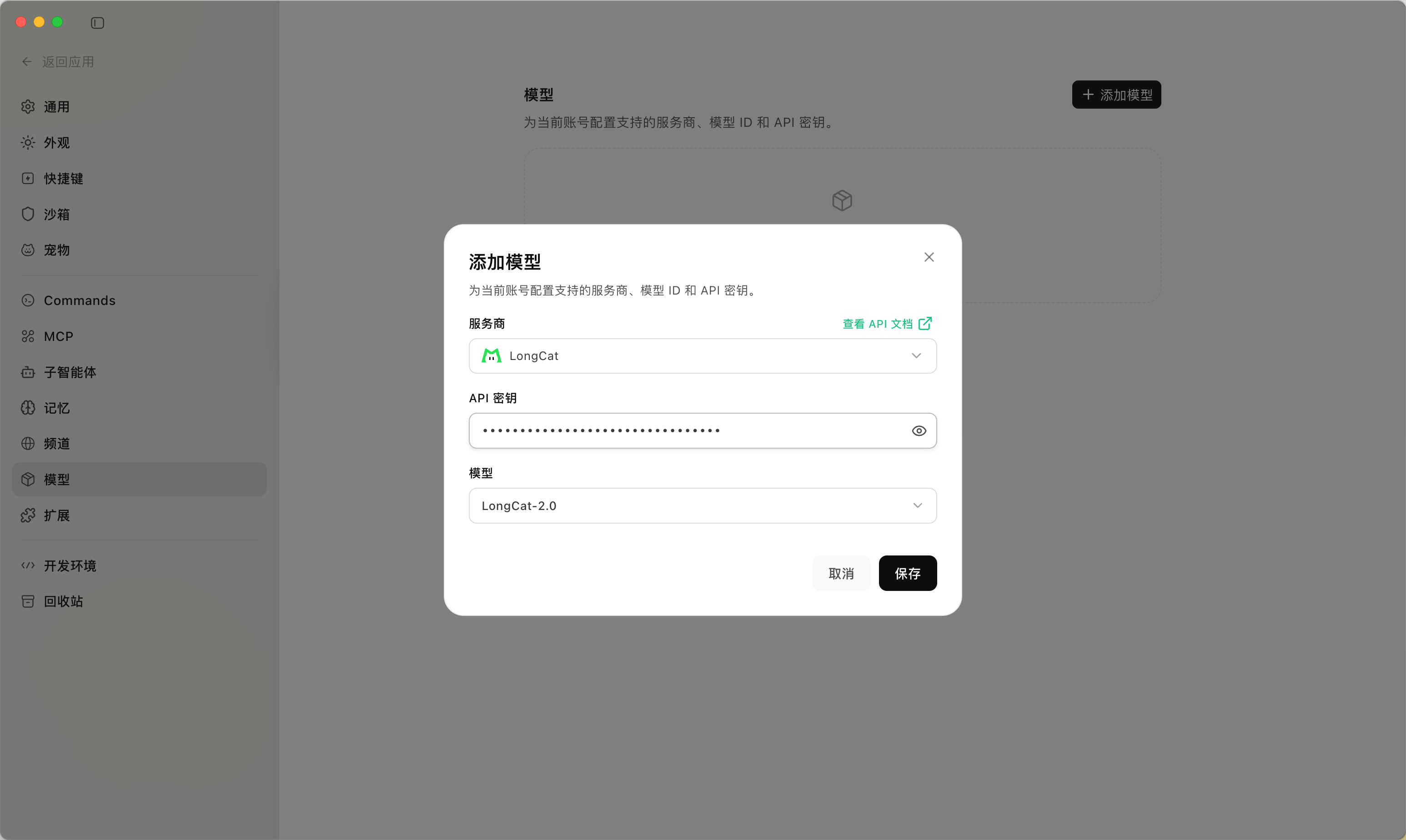
- Open CatPaw and go to "Settings → Models"
- Click the "+ Add Model" button in the upper right corner of the page
- Configure the following in the pop-up window:
- Provider: select
LongCat - API Key: enter your LongCat API Key
- Model: select
LongCat-2.5-Preview
- Provider: select
- Click "Save" to add the model
IV. Verify
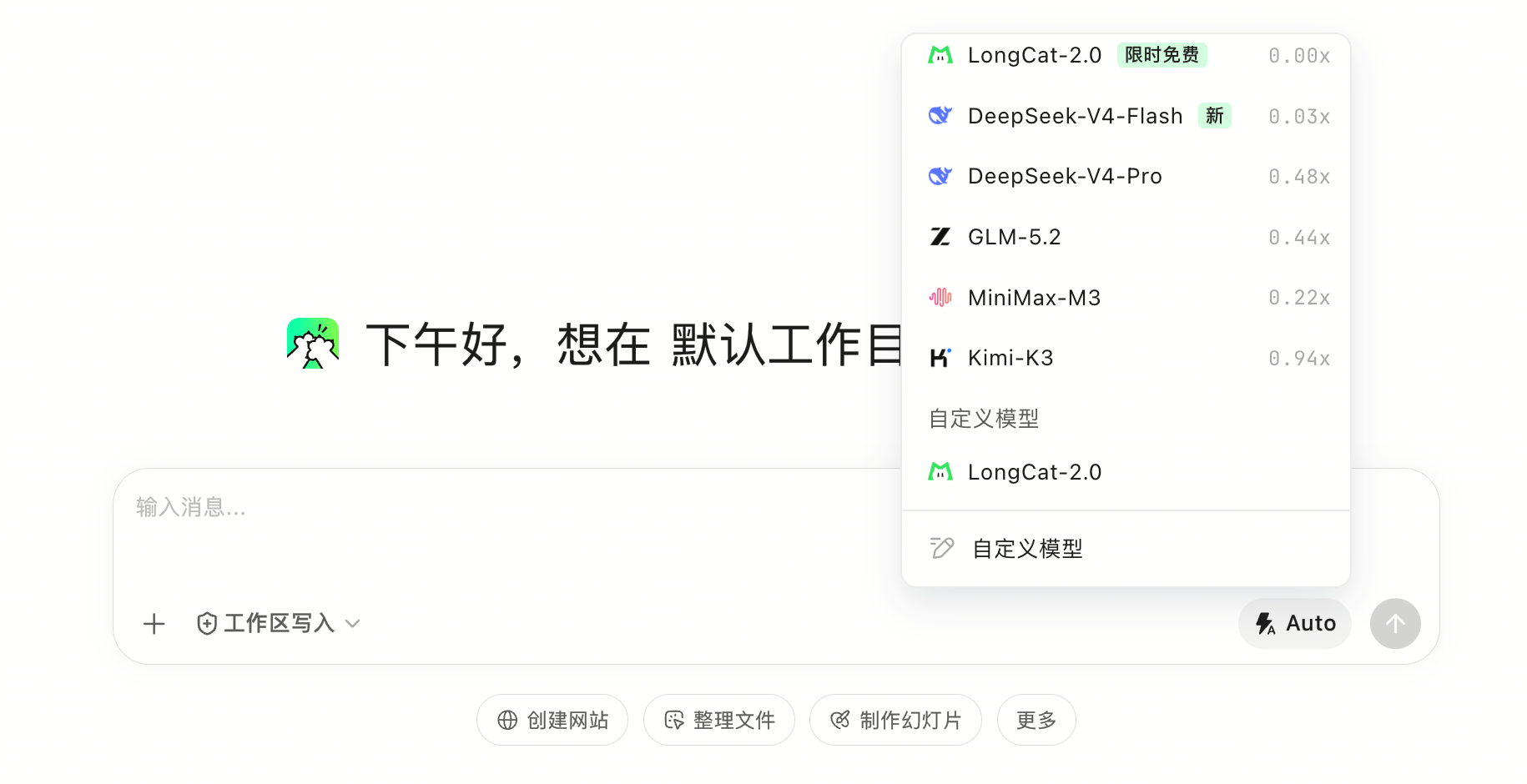
Once added, LongCat-2.5-Preview will appear in the model selector at the bottom right of the chat input box (under Custom Models). Switch to it and send a test message (e.g., "Hello, please introduce yourself"). If you receive a response from the LongCat model, the configuration is successful.